
netclaw reminder
netclaw reminder schedules autonomous agent sessions. A reminder fires on a schedule (once, on an interval, or via cron), runs a session with your instructions, and optionally delivers results to a Slack channel.
All subcommands except validate require the daemon to be running. Start it with netclaw daemon start or netclaw init.
netclaw reminder <subcommand> [options]Subcommands
Section titled “Subcommands”| Subcommand | Description |
|---|---|
list | List all active reminders |
create | Create or update a reminder |
ui / tui | Interactive reminder builder |
show <id> | Show reminder details |
history <id> | Show execution history |
status <id> | Show operational status — failures, skipped fires, next fire, recent runs |
enable <id> | Enable a reminder |
disable <id> | Disable a reminder |
cancel <id> | Cancel (soft delete — disables, keeps definition) |
delete <id> | Permanently delete a reminder and its history |
import <file> | Import a reminder from a JSON file |
validate <file> | Validate a reminder file offline (no daemon needed) |
Interactive TUI
Section titled “Interactive TUI”netclaw reminder uiThe Reminder Builder walks you through six steps: title, schedule type, schedule value, instructions, delivery guidance, and review.
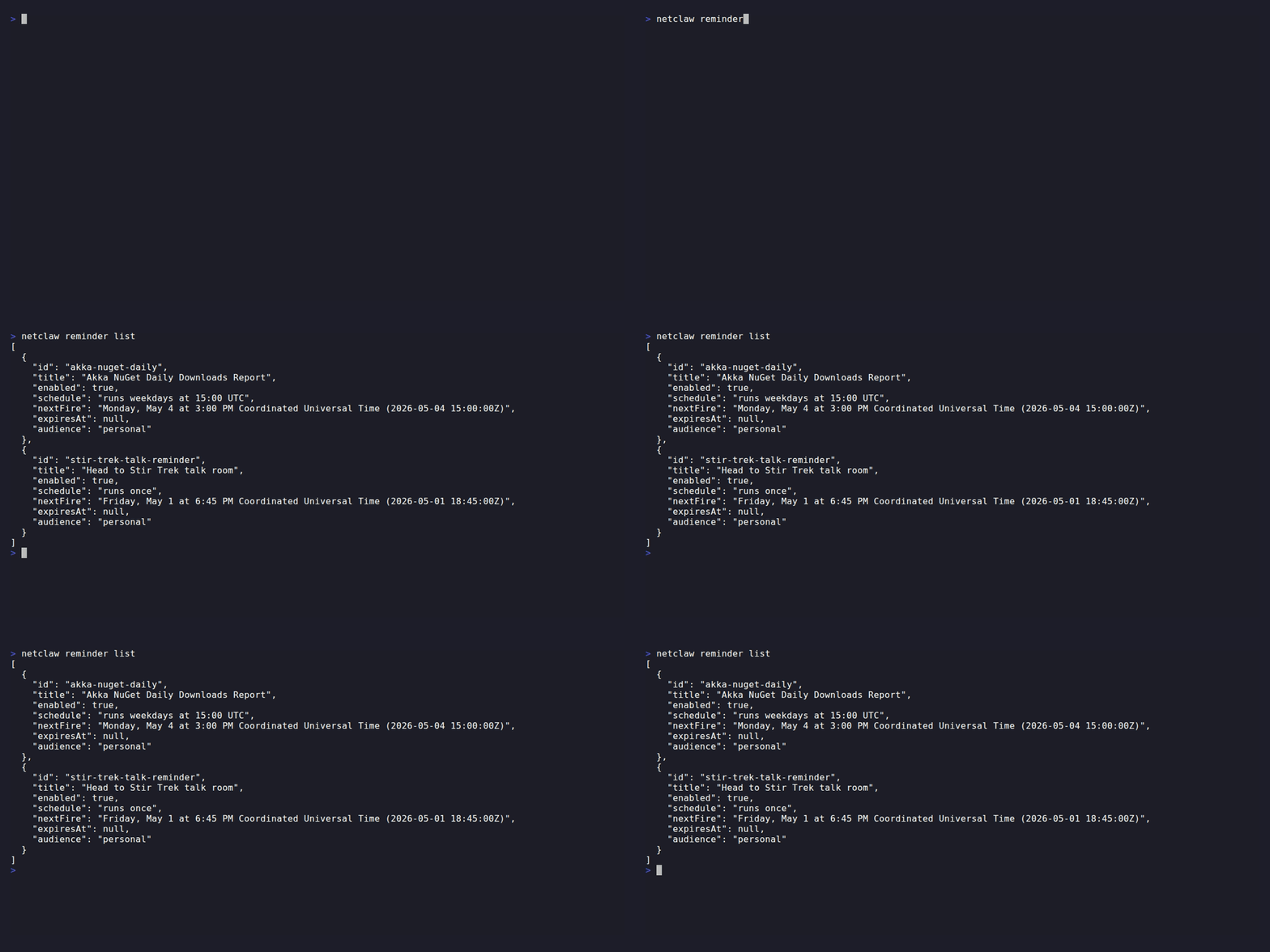
Navigate with arrow keys and Enter. Esc goes back a step (or quits on the first step). Ctrl+Q quits from anywhere. Ctrl+Enter adds newlines in multi-line fields.
netclaw reminder list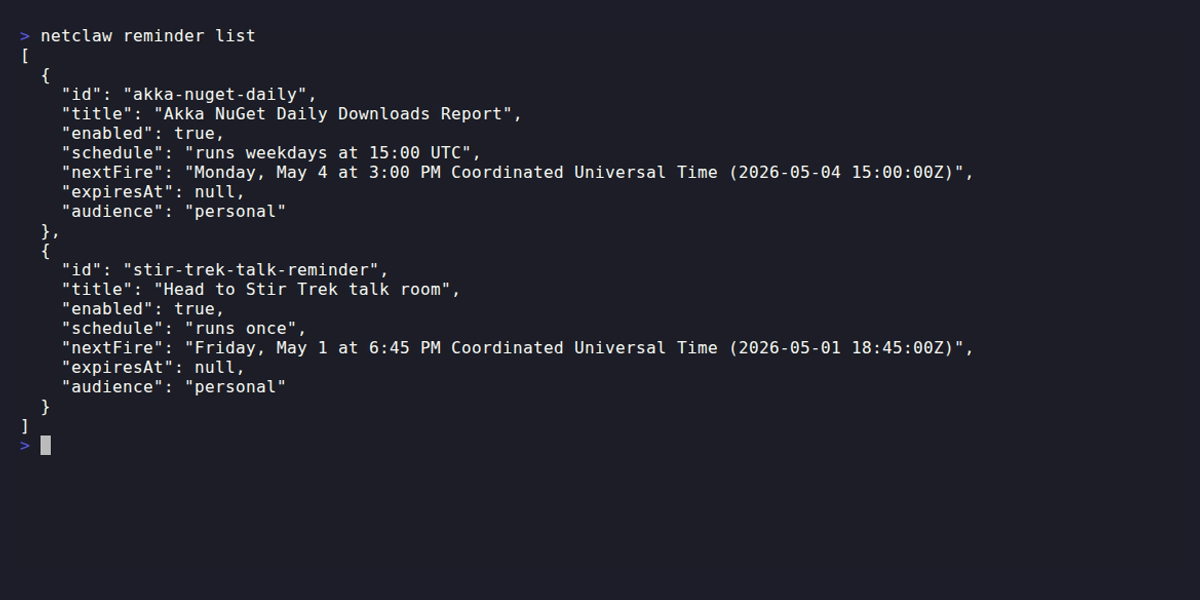
create
Section titled “create”netclaw reminder create <id> <scheduleType> <schedule> "<prompt>" [options]| Positional | Description |
|---|---|
id | Stable identifier, kebab-case slug (e.g. daily-standup) |
scheduleType | once, interval, or cron |
schedule | Duration or cron expression (see Schedule types) |
prompt | Instructions for what netclaw should do when the reminder fires |
Options
Section titled “Options”| Flag | Description | Default |
|---|---|---|
--name <title> | Human-readable title | Same as id |
--delivery <kind> | none or channel | none |
--transport <transport> | Transport for channel delivery (e.g. slack) | — |
--address <target> | Target for channel delivery (#channel, @user, or ID) | — |
--expires-in <duration> | Auto-disable after duration (e.g. 24h, 7d) | — |
If a reminder with the given ID already exists, it gets updated (upsert).
Channel delivery requires Slack to be configured in netclaw. Without it, the reminder runs but has nowhere to post results.
Schedule types
Section titled “Schedule types”| Type | What it does | Examples |
|---|---|---|
once | Fires one time, then auto-disables | 30m, 2h, or an ISO 8601 timestamp like 2026-06-01T18:00:00Z |
interval | Repeats on a fixed duration | 15m, 2h, 1d |
cron | Fires on a cron schedule (5-field, UTC) | 0 */6 * * *, 0 9 * * MON-FRI |
Examples
Section titled “Examples”Recurring cron reminder
Section titled “Recurring cron reminder”netclaw reminder create akka-nuget-daily cron "0 15 * * MON-FRI" \ "Check Akka.NET NuGet download counts. Compare to yesterday and flag anything unusual." \ --name "Akka NuGet Daily Downloads Report"One-shot with Slack delivery
Section titled “One-shot with Slack delivery”netclaw reminder create stir-trek-talk once "2026-05-01T18:45:00Z" \ "Remind me to head to the Stir Trek talk room" \ --name "Head to Stir Trek talk room" \ --delivery channel --transport slack --address "#general"Interval health check
Section titled “Interval health check”netclaw reminder create infra-check interval "6h" \ "Run netclaw doctor and summarize any degraded services."netclaw reminder show <id>Shows the full JSON definition for a reminder — the same format import expects.
history
Section titled “history”netclaw reminder history <id> [--last N]| Flag | Description | Default |
|---|---|---|
--last <N> | Number of history records to return | 20 |
Output is a table with columns: fired_at, status (ok/failed), duration_ms, and session_id. Use the session ID to dig into what the agent did with netclaw sessions.
status
Section titled “status”netclaw reminder status <id>The go-to command when a reminder is misbehaving. Where history lists raw runs, status answers “is this thing healthy right now?” in one screen — whether it’s enabled, whether a run is in flight, when it fires next, how close it is to auto-disabling, and its last five outcomes.
$ netclaw reminder status gotowebinar-triageReminder: gotowebinar-triageEnabled: TrueExecuting now: FalseNext fire: 2026-06-26 18:00:00ZConsecutive fails: 2Skipped (duplicate): 14Recent history (newest first): 2026-06-26 17:00:00Z failed — Reminder execution stalled: no session output for 00:20:00. 2026-06-26 15:00:00Z ok| Field | Meaning |
|---|---|
Enabled | Whether the reminder is active. Flips to False on its own after 5 consecutive failures. |
Executing now | A run is in flight right now. |
Next fire | Next scheduled time, or not scheduled when disabled. |
Consecutive fails | Current failure streak. Auto-disables at 5; a single success resets it to 0. |
Skipped (duplicate) | Fires skipped because the previous run was still executing. Counted since daemon start — a climbing number means runs regularly outlast their interval. |
Recent history | The five most recent runs, newest first, each with its outcome and error. |
Backed by GET /api/reminders/{id}/status. An unknown ID exits non-zero with Reminder '<id>' not found.
A high Skipped (duplicate) count with a short interval is the classic misconfiguration: the reminder is scheduled more often than a run takes to finish, so most fires are dropped. Lengthen the interval or speed up the work.
enable / disable
Section titled “enable / disable”netclaw reminder enable <id>netclaw reminder disable <id>Disabled reminders keep their definition and history — they just stop firing.
cancel vs delete
Section titled “cancel vs delete”netclaw reminder cancel <id>netclaw reminder delete <id>cancel disables a reminder but leaves the definition and history intact, so you can re-enable it later. delete removes everything permanently.
import
Section titled “import”netclaw reminder import <file> [--replace|--upsert]Imports a reminder from a JSON file. The file format matches show output — grab a reminder’s JSON, edit it, and import it back.
| Mode | Description |
|---|---|
| (default) | Create only — fails if the reminder already exists |
--upsert | Create or update |
--replace | Replace the existing reminder entirely |
The file is validated before import. Run validate first to check for errors without hitting the daemon.
validate
Section titled “validate”netclaw reminder validate <file>Checks a reminder JSON file for schema errors offline. Schedule-type-specific rules:
oncereminders need afireAtMstimestampintervalreminders needintervalTickscronreminders need a validcronExpression(standard 5-field format)
Exit codes
Section titled “Exit codes”| Code | Meaning |
|---|---|
0 | Success |
1 | Reminder not found, validation error, daemon unreachable, or other failure |
What’s next
Section titled “What’s next”Run netclaw reminder list to confirm your reminder appears with the right schedule and next fire time. After it fires, netclaw reminder history <id> shows whether it succeeded, and netclaw reminder status <id> tells you at a glance whether it’s healthy. Grab the session ID from the history output and pass it to netclaw sessions to see the full run.
Related commands
Section titled “Related commands”netclaw status— confirms daemon is running before using remindersnetclaw sessions— inspect what happened during a reminder sessionnetclaw stats— usage statistics including reminder execution countsnetclaw doctor— health checks for the daemon and its subsystems
Resources
Section titled “Resources”- Crontab.guru — visual editor for cron schedule expressions
- Cron expression syntax (Wikipedia) — reference for the standard 5-field cron format
- ISO 8601 (Wikipedia) — timestamp format for one-shot reminder schedules
 Built by Petabridge