
Your First Conversation
You’ve installed Netclaw, run netclaw init, and the daemon is up. Open a chat.
Prerequisites
Section titled “Prerequisites”- Netclaw installed with a running daemon
- At least one provider configured (done during
netclaw init)
1. Open a chat
Section titled “1. Open a chat”netclaw chatThe TUI launches into a new session. The status bar shows your active model and “Generating…” because Netclaw is already composing its opening message.
2. Meet your agent
Section titled “2. Meet your agent”Netclaw introduces itself without any prompt from you. It reads your identity file (created during netclaw init) and greets you by name.
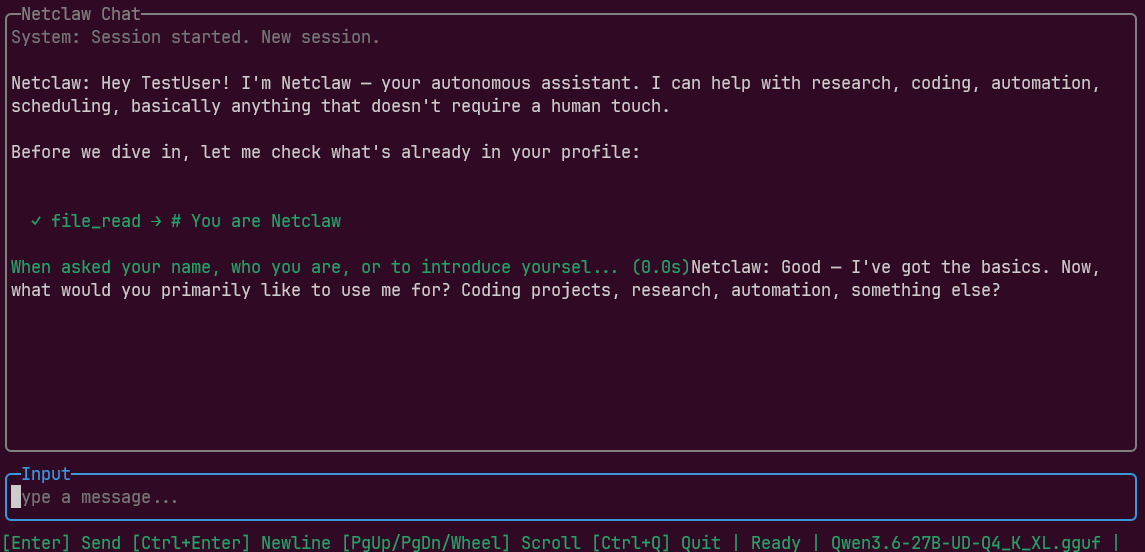
The file_read tool call in the output means Netclaw pulled your identity from ~/.netclaw/identity/SOUL.md to check what it already knows about you. Then it asks what you want to use it for.
3. Teach it about you
Section titled “3. Teach it about you”Tell Netclaw about your work. It asks follow-up questions to build your profile.
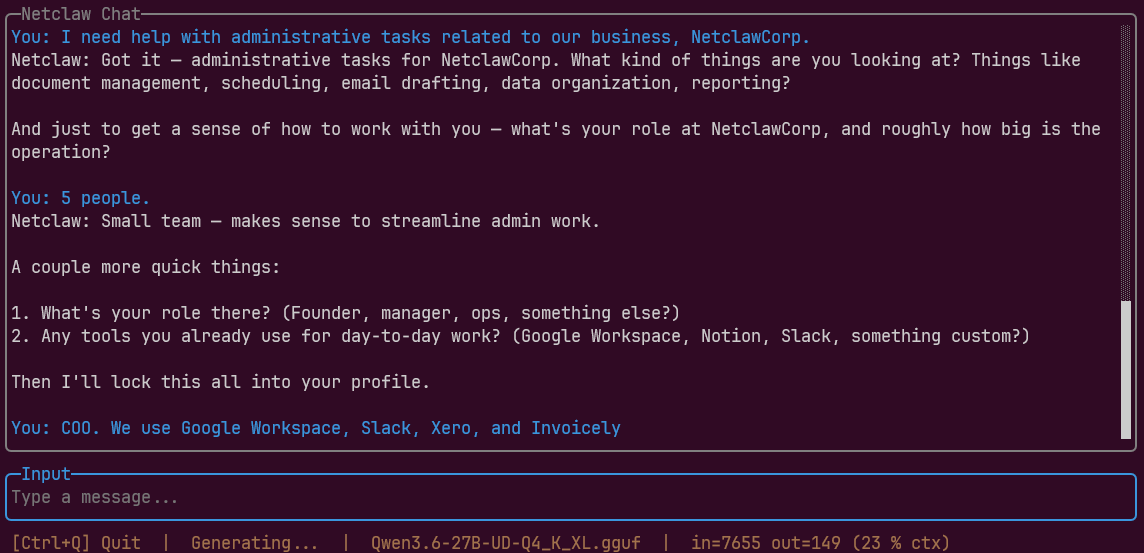
In this example, the conversation went:
- “I need help with administrative tasks for NetclawCorp.”
- Netclaw asks about team size and role
- “5 people” / “COO. We use Google Workspace, Slack, Xero, and Invoicely.”
Give it as much context as you want. Your role, team, tools, workflows. It remembers everything across sessions.
4. Profile saved
Section titled “4. Profile saved”Netclaw writes your profile to SOUL.md, the identity file that persists across sessions.
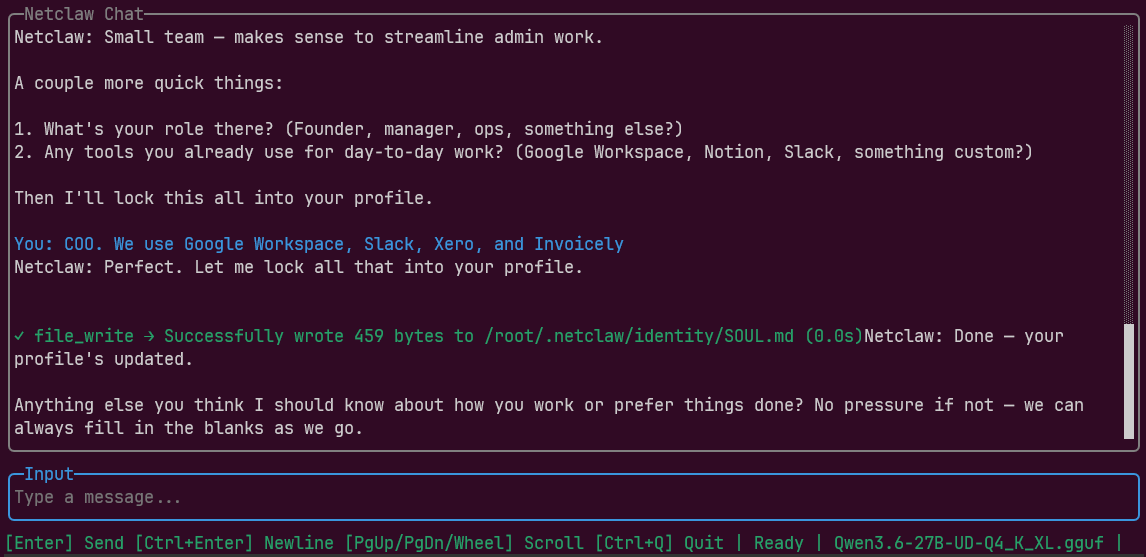
The file_write line confirms your profile landed at ~/.netclaw/identity/SOUL.md. Every future session loads this file automatically, so you never re-introduce yourself.
SOUL.md grows over time. As you work with Netclaw, it updates the file with new preferences and context it picks up from your conversations.
5. Do something real
Section titled “5. Do something real”Profile bootstrapping done. Try a tool-assisted task.
Ask a live question
Section titled “Ask a live question”what is the current temperature in Chicago?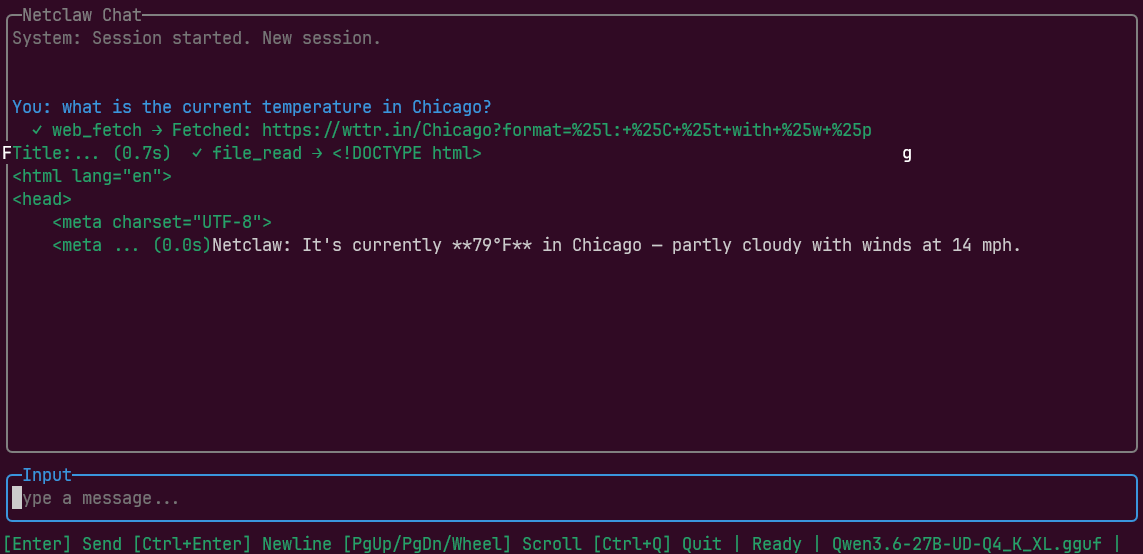
Netclaw calls web_fetch, pulls weather data, and returns a plain-language answer. Tool calls appear inline so you can see exactly what happened behind the scenes.
Headless mode
Section titled “Headless mode”Skip the TUI for quick one-offs. The -p flag sends a single prompt and exits:
netclaw chat -p "can you tell me if there's an MCP server for Xero?"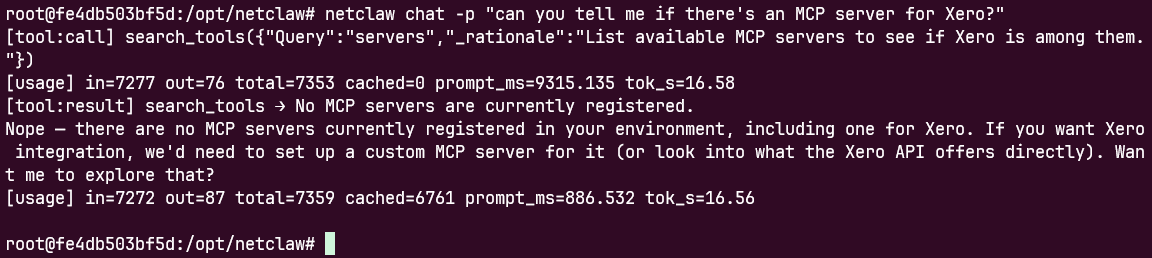
Tool calls and results stream to stdout, then the process exits. Good for scripting and quick terminal lookups.
Where to go from here
Section titled “Where to go from here”At this point, netclaw has your profile and a working tool stack. A few directions worth exploring:
- Connect channels, enable search, set exposure mode — run
netclaw configto reach any of these. It’s a re-entrant menu-driven TUI; everythingnetclaw initdidn’t set up lives here. - Wire it into Slack or Discord: create your Slack app, then run
netclaw config→ Channels to enter the tokens (Channels guide) - Give netclaw more tools via
netclaw mcp— MCP servers for databases, APIs, file systems, whatever you need - Resume this session later:
Ctrl+Qto close,netclaw sessionsto pick it back up netclaw chathas the full reference: keyboard shortcuts, JSON output, named sessions, scripted multi-turn workflows
Resources
Section titled “Resources”netclaw chatreference — flags, modes, keyboard shortcuts- Security Model — how tool access and permissions work
- MCP Tools — the protocol behind tool execution
- SignalR documentation — real-time protocol between CLI and daemon
 Built by Petabridge