
Self-Hosted Providers
Self-hosted providers run inference on your own hardware. No API keys, no data leaving your network. Netclaw has two provider types for this: native Ollama integration and an OpenAI-compatible mode that works with any server exposing a /v1/chat/completions endpoint — llama.cpp, vLLM, Lemonade, DwarfStar (ds4), or anything else OpenAI-compatible.
Config goes in ~/.netclaw/config/netclaw.json. Self-hosted providers don’t need credentials unless you’re running an authenticated endpoint. Environment variables with the NETCLAW_ prefix override file-based config.
netclaw init handles provider setup interactively if you’re starting fresh. This page covers manual configuration.
For cloud-hosted providers (OpenRouter, Anthropic, OpenAI), see Managed Providers.
Before You Start
Section titled “Before You Start”- Ollama or another inference server installed and running
netclaw initcompleted (or you’re configuring manually for the first time)- The netclaw daemon running (
netclaw daemon start)
Provider Summary
Section titled “Provider Summary”| Type | Display Name | Default Endpoint | Auth | Use Case |
|---|---|---|---|---|
ollama | Ollama | http://localhost:11434 | None | Ollama servers (auto-detects model capabilities) |
openai-compatible | llama.cpp / vLLM / DwarfStar ds4 | http://localhost:11434 | Optional Bearer token | Anything exposing /v1/chat/completions |
Configuration Schema
Section titled “Configuration Schema”| Field | Type | Default | Description |
|---|---|---|---|
Type | string | "ollama" | Provider SDK: ollama or openai-compatible |
Endpoint | string | varies by type | Base URL of the inference server |
ApiKey | string? | null | Optional Bearer token for authenticated endpoints |
Ollama
Section titled “Ollama”The default provider. Netclaw discovers models via /api/tags and detects capabilities per-model through /api/show.
Ollama must have at least one model pulled before netclaw can use it — an empty model list is treated as a probe failure. Pull a model first:
ollama pull qwen3:30bBrowse available models at the Ollama model library.
Local Ollama
Section titled “Local Ollama”{ "Providers": { "local": { "Type": "ollama", "Endpoint": "http://localhost:11434" } }, "Models": { "Definitions": { "local-qwen": { "Provider": "local", "ModelId": "qwen3:30b" } }, "Roles": { "Main": "local-qwen" } }}If Ollama is running locally, no other config is needed.
Remote Ollama Instance
Section titled “Remote Ollama Instance”Point to any machine on your network:
{ "Providers": { "gpu-box": { "Type": "ollama", "Endpoint": "http://192.168.1.50:11434" } }}Capability Detection
Section titled “Capability Detection”Netclaw queries /api/show for each model and inspects the architecture metadata:
| Capability | Detection Method | Example Models |
|---|---|---|
| Context window | {arch}.context_length field | All models |
| Vision | {arch}.vision.block_count field | llava, llama3.2-vision |
Models without native tool calling still work — netclaw falls back to structured prompting for tool use.
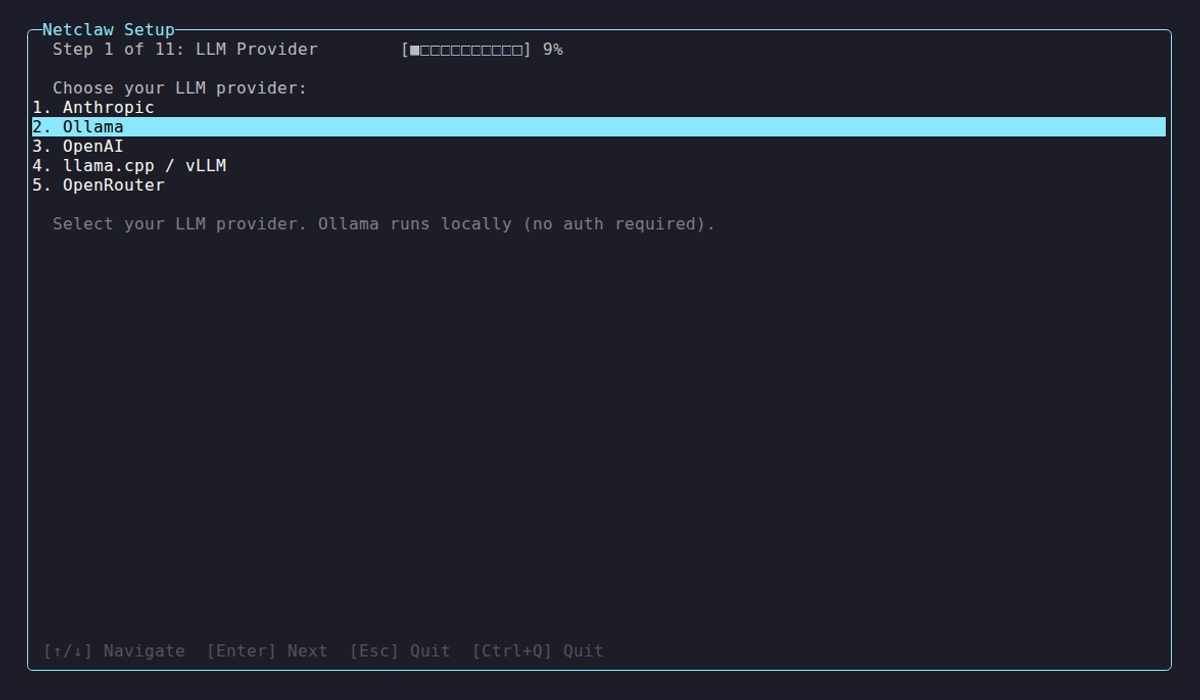
The init wizard auto-discovers models pulled in your local Ollama instance and lets you assign them to roles.
OpenAI-Compatible (llama.cpp, vLLM, Lemonade)
Section titled “OpenAI-Compatible (llama.cpp, vLLM, Lemonade)”For any inference server with a /v1/chat/completions endpoint — llama.cpp, vLLM, Lemonade, or anything else OpenAI-compatible. Netclaw discovers models via /v1/models and streams completions with tool calling.
Basic Setup
Section titled “Basic Setup”{ "Providers": { "llama-server": { "Type": "openai-compatible", "Endpoint": "http://localhost:8080" } }, "Models": { "Definitions": { "llama": { "Provider": "llama-server", "ModelId": "my-model" } }, "Roles": { "Main": "llama" } }}Note: the netclaw default endpoint for openai-compatible is http://localhost:11434, but llama-server defaults to port 8080 — specify the endpoint explicitly when using llama.cpp.
With Authentication
Section titled “With Authentication”Some deployments protect the API with a Bearer token. Store tokens in secrets.json to keep credentials out of version-controlled config:
{ "Providers": { "vllm-cluster": { "ApiKey": "your-token-here" } }}The main config in netclaw.json just references the provider without the key:
{ "Providers": { "vllm-cluster": { "Type": "openai-compatible", "Endpoint": "https://inference.internal:8443" } }}llama.cpp Server Example
Section titled “llama.cpp Server Example”Start llama-server, then point netclaw at it:
# Start llama-server (defaults to port 8080)llama-server -m ./models/qwen3-30b-q4_k_m.gguf --port 8080
# Configure netclawnetclaw provider add llama-local openai-compatible --endpoint http://localhost:8080
Multi-Provider Setup
Section titled “Multi-Provider Setup”Mix provider types freely. Here’s Ollama handling Main with a llama.cpp instance as Fallback:
{ "Providers": { "ollama-local": { "Type": "ollama", "Endpoint": "http://localhost:11434" }, "llama-gpu": { "Type": "openai-compatible", "Endpoint": "http://localhost:8080" } }, "Models": { "Definitions": { "main": { "Provider": "ollama-local", "ModelId": "qwen3:30b" }, "fallback": { "Provider": "llama-gpu", "ModelId": "qwen3:14b" } }, "Roles": { "Main": "main", "Fallback": "fallback" } }}Assign models to roles with netclaw model set.
Environment Variable Overrides
Section titled “Environment Variable Overrides”# Point at a remote Ollama instanceexport NETCLAW_Providers__local__Type="ollama"export NETCLAW_Providers__local__Endpoint="http://gpu-server:11434"
# Override model assignment (named definition + role reference)export NETCLAW_Models__Definitions__local-qwen__Provider="local"export NETCLAW_Models__Definitions__local-qwen__ModelId="qwen3:30b"export NETCLAW_Models__Roles__Main="local-qwen"Environment variables follow the .NET configuration convention — double underscores separate path segments.
Health Checks
Section titled “Health Checks”Netclaw probes each provider on startup — /api/tags for Ollama, /v1/models for openai-compatible. Each probe times out after 10 seconds.
Common issues:
| Symptom | Cause | Fix |
|---|---|---|
| Connection refused | Server not running | Start Ollama (ollama serve) or llama-server |
| Empty model list | No models pulled | Run ollama pull <model> |
| Timeout | Server overloaded or wrong port | Check endpoint URL and server logs |
| 401 Unauthorized | Token required | Add ApiKey to provider config |
Run netclaw doctor for a full connectivity diagnostic, or open netclaw provider to see live health status.
Applying Changes
Section titled “Applying Changes”After editing netclaw.json, restart the daemon for changes to take effect:
netclaw daemon restartVerify your provider is healthy:
netclaw provider # check health indicators in the TUInetclaw doctor # full diagnostic including provider probesProvider Manager TUI
Section titled “Provider Manager TUI”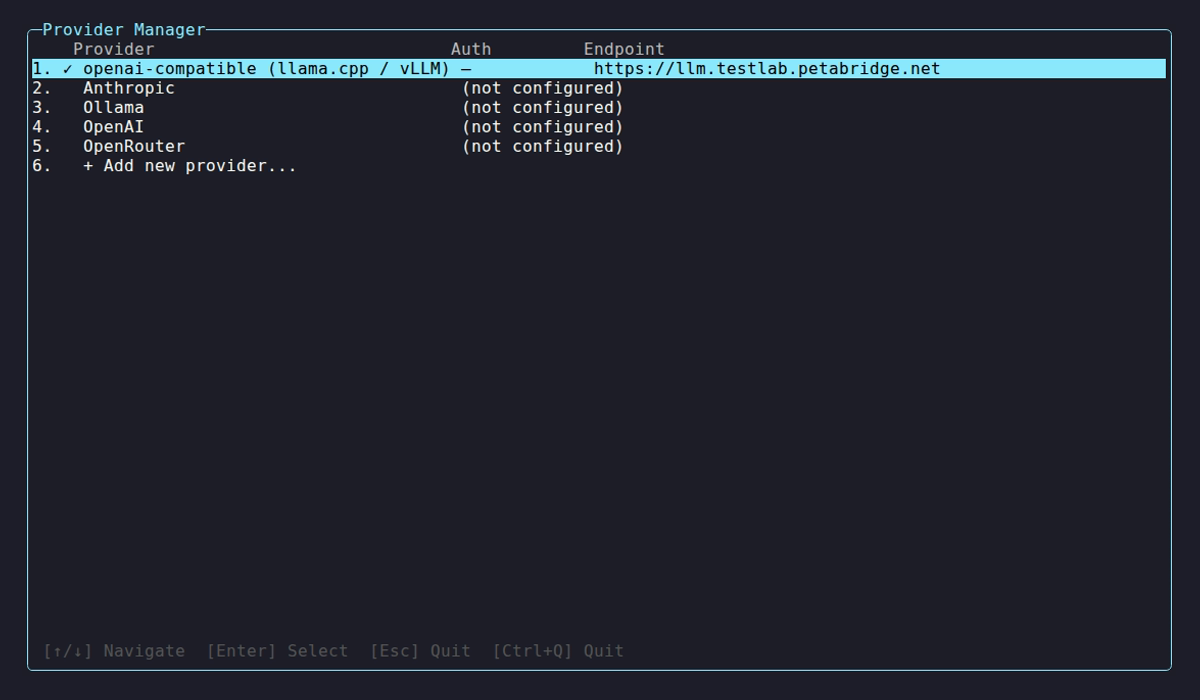
Self-hosted entries show ✓ when reachable with models discovered, or ⚠ when the server is down or returns errors. Select a provider to manage endpoints, re-probe, or remove it.
Limitations
Section titled “Limitations”- Changing providers requires a daemon restart.
- Tool calling quality varies between models. Qwen3 30B+ and Llama 3.1 70B+ handle it well; smaller models often choke on complex tool schemas.
- The openai-compatible provider sends standard OpenAI tool-calling format. Servers that don’t implement tool calling will fall back to structured prompting.
- llama.cpp requires
--jinjafor Qwen3 and other reasoning models — without it, raw XML leaks into chat. See llama.cpp Troubleshooting.
See Also
Section titled “See Also”netclaw provider— manage providers from the CLI or TUInetclaw model— assign models to Main, Fallback, and Compaction roles- Managed Providers — cloud providers when you want someone else to run the GPUs
- Models — deep dive on model role configuration and routing
- Secrets Management — how netclaw encrypts and stores credentials at rest
Resources
Section titled “Resources”- Ollama — install and run local models
- Ollama model library — browse available models
- Ollama API reference — model management, tags, and show endpoints
- llama.cpp server docs — flags, endpoints, performance tuning
- vLLM OpenAI-compatible serving — model parallelism and quantization options
- .NET environment variable configuration — the double-underscore nesting convention
 Built by Petabridge