
netclaw webhooks
netclaw webhooks manages inbound webhook routes. External services POST to a route, netclaw verifies the signature, runs a session with the route’s prompt, and posts results to Slack if configured.
This page is the flag reference. For the wire protocol, the route-file schema, and how a request is verified, see webhook configuration.
Routes live as individual JSON files in ~/.netclaw/config/webhooks/. CLI management (list, set, validate, etc.) doesn’t need a running daemon. Actually receiving webhook requests needs three more things:
- The daemon running —
netclaw daemon start. - The global endpoint switched on.
Webhooks.Enabledisfalseby default and every route 404s until it’s on, which is the number one reason a route that looks right never fires. Flip it innetclaw config→ Inbound Webhooks, then restart the daemon once. - A way in from the internet — a non-local exposure mode such as Tailscale Serve or Cloudflare Tunnel. GitHub can’t reach your
localhost.
netclaw webhooks [subcommand] [options]netclaw webhooks list [--json] [--all]| Flag | Description | Default |
|---|---|---|
--json | JSON output | Off |
--all | Include disabled routes | Off |
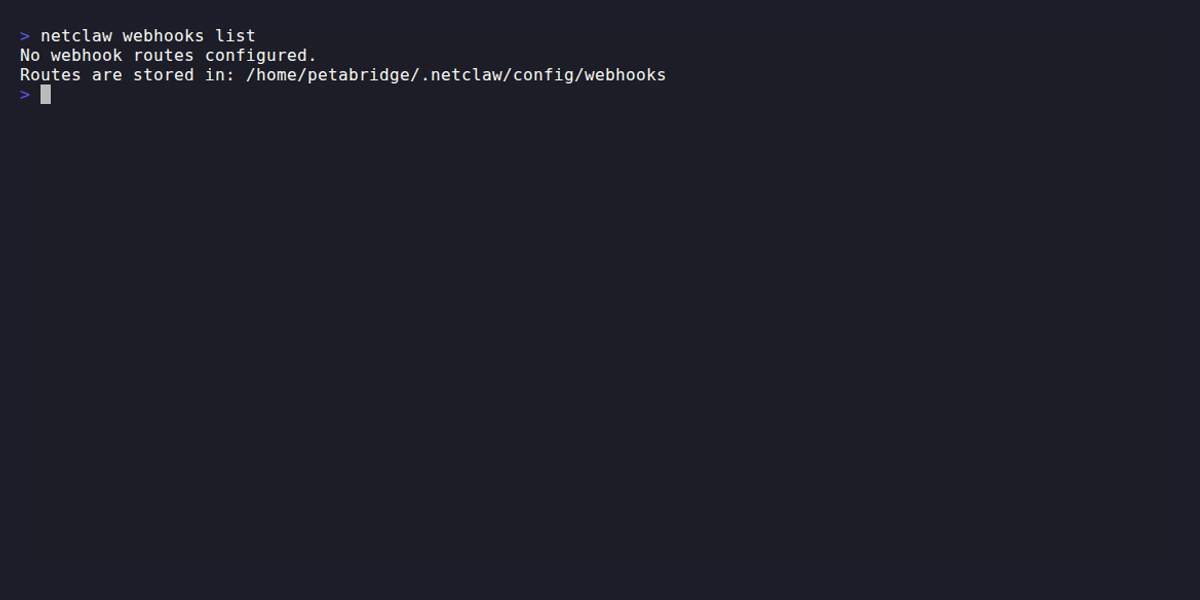
With no routes configured, you see the storage path. Once routes exist, the table shows status, audience, verification kind, and delivery requirement per route.
netclaw webhooks show <route> [--json] [--show-secret]Displays full configuration for a single route. Also validates the route file — exits with code 1 if the route has schema errors.
| Flag | Description | Default |
|---|---|---|
--json | JSON output | Off |
--show-secret | Reveal the verification secret | Off |
Secrets are redacted by default. Pass --show-secret when you need to copy the secret to a third-party service.
Creates or updates a route. Route names must be lowercase alphanumeric with single dashes between segments (github-issues, deploy-v2). Regex: ^[a-z0-9]+(?:-[a-z0-9]+)*$.
netclaw webhooks set <route> [options]Prompt and secret
Section titled “Prompt and secret”New routes require a prompt (choose one) and a secret (choose one):
| Flag | Description |
|---|---|
--prompt <text> | Prompt text injected into webhook sessions |
--prompt-file <path> | Read prompt from a file |
--secret <value> | Verification secret — visible in shell history; prefer --secret-file or --secret-env |
--secret-file <path> | Read secret from a file |
--secret-env <VAR> | Read secret from an environment variable |
All three secret flags are read once, when the command runs, and the resolved value is written into the route file. --secret-env is not a live reference: changing the variable later doesn’t rotate the route’s secret, and the daemon doesn’t need the variable in its environment. Re-run set to change it.
Verification
Section titled “Verification”Three modes. Omit --verification-kind and you get hmac. The configuration reference covers the signing protocol behind each one.
| Kind | What it verifies |
|---|---|
hmac | HMAC-SHA256 over the raw request body |
hmac-timestamped | HMAC-SHA256 over <timestamp><separator><raw body>, plus a replay window |
header-secret | A shared secret sent verbatim in a header |
The modes are independent. Netclaw never falls back from one to another, and changing an existing route’s mode is a two-sided change — see migrating a route.
| Flag | Description | Default |
|---|---|---|
--verification-kind <kind> | hmac, hmac-timestamped, or header-secret | hmac |
--signature-header <name> | Header containing the HMAC signature | X-Webhook-Signature |
--signature-prefix <prefix> | Prefix on the signature value (e.g. sha256=) | — |
--secret-header <name> | Header containing the secret (header-secret mode) | X-Webhook-Secret |
--event-header <name> | Header with the event type name | X-Webhook-Event |
--delivery-header <name> | Header with the unique delivery ID (for deduplication) | X-Webhook-Delivery |
Timestamped HMAC
Section titled “Timestamped HMAC”These four apply only to hmac-timestamped routes. The defaults are Stripe’s format, so a Stripe route sets none of them.
| Flag | Description | Default |
|---|---|---|
--timestamp-field <name> | Field in the signature header holding the Unix timestamp | t |
--signature-field <name> | Field holding the signature | v1 |
--signed-payload-separator <value> | Joins the timestamp and body before signing | . |
--signature-tolerance-seconds <n> | Replay window in seconds, 1–3600 | 300 |
Pass any of them to a route that isn’t hmac-timestamped and the command fails before writing anything:
[FAIL] Timestamp signature options require '--verification-kind hmac-timestamped'.--signature-prefix is inert on timestamped routes — the prefix is forced empty, because the signature lives in a header field rather than carrying its own prefix.
Behavior
Section titled “Behavior”--audience controls which tool audience the webhook session runs under. public gets the most restricted tool access, personal gets the most permissive.
| Flag | Description | Default |
|---|---|---|
--events <list> | Comma-separated event type allow-list (empty = all) | All |
--audience <level> | public, team, or personal | public |
--max-body <bytes> | Maximum request body size | 1048576 (1 MB) |
--rate-limit <N> | Requests per minute | 30 |
--enabled / --disabled | Enable or disable the route | Enabled |
Notifications
Section titled “Notifications”Set a notification target and the agent posts results to that Slack channel. Configure Slack first.
| Flag | Description | Default |
|---|---|---|
--notify-instructions <text> | Instructions for agent notification behavior | — |
--notify-instructions-file <path> | Read notification instructions from a file | — |
--delivery-required / --no-delivery-required | Require notification delivery | true |
--notification-channel <id> | Slack channel ID for notifications | — |
Modifiers
Section titled “Modifiers”| Flag | Description |
|---|---|
--dry-run | Validate and print the route without saving |
--create-only | Fail if the route already exists |
--update-only | Fail if the route doesn’t exist |
Examples
Section titled “Examples”GitHub issues route
Section titled “GitHub issues route”netclaw webhooks set github-issues \ --prompt "Triage this GitHub issue. Summarize it and suggest a priority label." \ --secret-env GITHUB_WEBHOOK_SECRET \ --verification-kind hmac \ --signature-header X-Hub-Signature-256 \ --signature-prefix "sha256=" \ --event-header X-GitHub-Event \ --delivery-header X-GitHub-Delivery \ --events "issues,issue_comment" \ --audience team \ --notification-channel C0123SLACKStripe route (timestamped HMAC)
Section titled “Stripe route (timestamped HMAC)”Stripe signs t=<timestamp>.<body> and sends it as Stripe-Signature. Netclaw’s field defaults already match, so the only thing worth naming is the header:
netclaw webhooks set stripe-events \ --prompt "Process this Stripe event and summarize the charge." \ --secret-env STRIPE_WEBHOOK_SECRET \ --verification-kind hmac-timestamped \ --signature-header Stripe-Signature \ --audience teamwebhooks show fills in the effective defaults, marking the ones you didn’t set:
Verification: Kind: hmac-timestamped Secret: ********** (use --show-secret to reveal) Algorithm: sha256 Signature Header: Stripe-Signature Timestamp Field: t (default) Signature Field: v1 (default) Payload Separator: . (default) Tolerance: 300 (default) seconds--json reports the same resolved values:
"verification": { "kind": "hmac-timestamped", "secret": "********", "hmacAlgorithm": "sha256", "signatureHeader": "Stripe-Signature", "signaturePrefix": null, "secretHeader": null, "eventHeader": null, "deliveryIdHeader": null, "timestampField": "t", "signatureField": "v1", "signedPayloadSeparator": ".", "toleranceSeconds": 300}A sender with its own field names
Section titled “A sender with its own field names”When the sender doesn’t follow Stripe’s conventions, name each part:
netclaw webhooks set custom-signed \ --prompt "Handle this event." \ --secret-env ACME_WEBHOOK_SECRET \ --verification-kind hmac-timestamped \ --signature-header X-Acme-Signature \ --timestamp-field issued \ --signature-field sig \ --signed-payload-separator ":" \ --signature-tolerance-seconds 120Preview without saving
Section titled “Preview without saving”netclaw webhooks set github-issues --rate-limit 10 --dry-runCreate-only (fail if exists)
Section titled “Create-only (fail if exists)”netclaw webhooks set deploy-notify \ --prompt "Summarize this deployment and post a status update." \ --secret-env DEPLOY_SECRET \ --create-onlyMigrating a route
Section titled “Migrating a route”Existing routes keep their verification mode forever. Upgrading netclaw doesn’t touch them, and set only changes the mode when you pass --verification-kind. Edit anything else and verification stays exactly as it was:
netclaw webhooks set github-issues --rate-limit 60Switching modes is a two-sided change: netclaw won’t accept the sender’s old signatures once you flip it, and there’s no fallback to the previous verifier. Reconfigure the sender first, then flip the route:
netclaw webhooks set github-issues \ --verification-kind hmac-timestamped \ --signature-header X-Hub-Signature-256Between those two steps every delivery fails with a 401. Routes hot-reload per request, so the gap lasts however long you take between the two commands — no restart involved.
delete
Section titled “delete”netclaw webhooks delete <route> [--force | -f]Prompts for confirmation unless --force is passed.
validate
Section titled “validate”netclaw webhooks validate <route>Checks the route file for syntax errors and schema violations. These are the same checks netclaw doctor runs across all routes automatically. The backtick-quoted names below are JSON fields in the route file:
- Route name must match
^[a-z0-9]+(?:-[a-z0-9]+)*$ promptis required and non-emptyverificationsection is required with a non-emptysecretmaxBodyBytesandrateLimitPerMinutemust be >= 1eventslist can’t contain blank entries- If
notifyInstructionsis set,notificationTargetis required — regardless ofdeliveryRequired - If
notificationTarget.kindisSlack,notificationTarget.channelIdis required
On HmacTimestamped routes only:
toleranceSecondsmust be between 1 and 3600timestampFieldandsignatureFieldmust be non-empty HTTP tokens and must differ from each other
set runs the same validation before persisting, so a rejected command leaves the existing route untouched:
[FAIL] Webhook route 'stripe-events' has validation errors: - Verification.ToleranceSeconds must be between 1 and 3600.Route files
Section titled “Route files”Each route is stored as ~/.netclaw/config/webhooks/<route-name>.json. A GitHub Issues route looks like this:
{ "enabled": true, "prompt": "Triage this GitHub issue. Summarize it and suggest a priority label.", "verification": { "kind": "Hmac", "hmacAlgorithm": "Sha256", "secret": "ghs_abc123...", "signatureHeaderName": "X-Hub-Signature-256", "signaturePrefix": "sha256=", "eventHeaderName": "X-GitHub-Event", "deliveryIdHeaderName": "X-GitHub-Delivery" }, "events": ["issues", "issue_comment"], "audience": "Team", "maxBodyBytes": 1048576, "rateLimitPerMinute": 30, "deliveryRequired": true, "notifyInstructions": "Post a summary to the triage channel.", "notificationTarget": { "kind": "Slack", "channelId": "C0123SLACK" }}Three casing conventions meet in that file, and mixing them up is the easiest mistake here:
| Where | Convention | Example |
|---|---|---|
| CLI flag values | lowercase, hyphenated | --verification-kind hmac-timestamped |
| Route file keys | camelCase | "signatureHeaderName" |
| Route file enum values | PascalCase | "kind": "HmacTimestamped" |
That’s what netclaw webhooks set writes, and what webhook-route.v1.schema.json declares. Hand-written PascalCase keys still load — deserialization is case-insensitive — but they won’t match what the CLI writes back.
The CLI’s hyphenated spelling doesn’t carry into the file: "kind": "hmac-timestamped" fails to parse. Use "HmacTimestamped".
Request lifecycle
Section titled “Request lifecycle”When a POST hits /api/webhooks/{routeName}:
- Checks
Webhooks.Enabled, then loads the route file (hot-reloaded per request — no restart needed after changes) - Rejects bodies over
maxBodyBytes(413) and non-JSON bodies (400) — both before any signature work - Verifies the request using the route’s configured mode — body HMAC, timestamped HMAC, or header secret. Timestamped routes also reject signatures outside the tolerance window.
- Filters by event type if the route has an allow-list, then drops deliveries it has already seen
- Applies the rate limit
- Creates a new
Webhooksession with the route’s prompt injected as context - If a notification target is configured, the agent posts results to that Slack channel. Without a notification target, the session still runs — output is stored in the session log
Anything that fails verification — wrong signature, stale or future timestamp, unparseable signature header — returns 401 and never reaches step 6, so no session runs. A 404 means Webhooks.Enabled is off, the route doesn’t exist, or the route is disabled. The full status table lists every rejection and its code. To see delivery and rejection counts, run netclaw stats.
Finding your webhook URL
Section titled “Finding your webhook URL”Your route’s endpoint is your daemon’s external hostname plus the route path:
<your-external-hostname>/api/webhooks/<route-name>Netclaw doesn’t store or report that hostname — it comes from whichever ingress you run, Tailscale Serve or Cloudflare Tunnel, and you’ll find it in their dashboard. netclaw status shows the daemon’s local endpoint (http://localhost:PORT), which external services can’t reach — don’t paste that into GitHub.
Exit codes
Section titled “Exit codes”| Code | Meaning |
|---|---|
0 | Success |
1 | Route not found, validation error, or other failure |
What’s next
Section titled “What’s next”After setting up a route, restart the daemon and run netclaw status to confirm the webhook endpoint is healthy. Then paste the full webhook URL into your external service’s webhook settings.
Related commands
Section titled “Related commands”- Webhook configuration — wire protocol, route-file schema, and the full ingress pipeline
- Exposure modes — making the daemon reachable so deliveries arrive at all
netclaw doctor— validates inbound webhook route filesnetclaw stats— webhook delivery counts and rejection breakdownsnetclaw config— toggles the globalWebhooks.Enabledendpointnetclaw status— live daemon health including webhook endpoint availability
Resources
Section titled “Resources”- GitHub webhook documentation — setting up webhooks on the GitHub side
- GitLab webhook documentation — GitLab’s webhook configuration
- HMAC signature verification — how GitHub’s
X-Hub-Signature-256works - Stripe webhook signatures — the
t=...,v1=...scheme the timestamped defaults match - Tailscale Serve — expose your webhook endpoint without a public IP
- Cloudflare Tunnel — alternative to Tailscale for public webhook ingress
 Built by Petabridge